
How to Accept M-Pesa Payments on Your Website in Kenya
A plain-English guide for Kenyan businesses on how to accept M-Pesa payments on your website, from payment gateways like Paystack to the direct Daraja route.
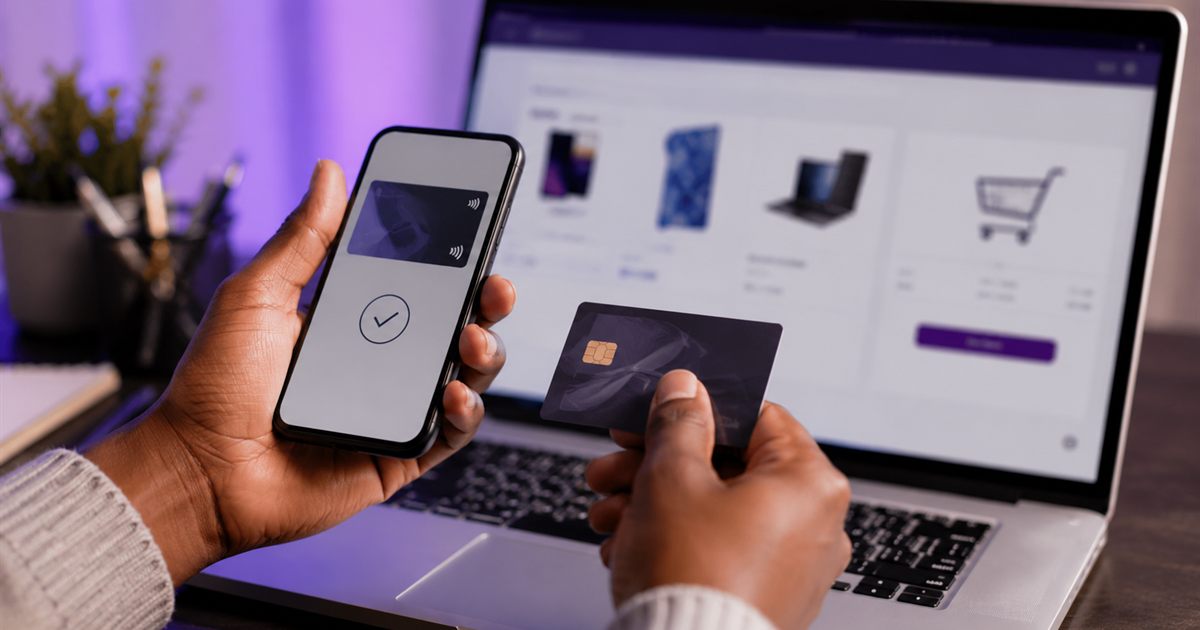
If you sell anything in Kenya, you already know the first question a customer asks: "Can I pay with M-Pesa?" So when you take your business online, the natural next step is to accept M-Pesa payments on your website so people can buy from you without calling, texting a till number, or sending you a screenshot. The good news is that this is very achievable, and you do not need to be a developer to understand your options.
This guide breaks down the practical ways to take M-Pesa online, how they differ, and what each option means for building an online store in Kenya.
How do you accept M-Pesa payments on your website?
The simplest way to accept M-Pesa payments on your website is to use a payment gateway (an aggregator) such as Paystack, which supports M-Pesa alongside cards and bank transfers. Your site sends the customer an STK push prompt on their phone, they enter their M-Pesa PIN, and the payment is confirmed automatically. The alternative is connecting directly to Safaricom's Daraja (Lipa na M-Pesa) API, which is more hands-on and better suited to larger or custom setups.
Why does an online store in Kenya need M-Pesa?
M-Pesa is the everyday way most Kenyans move money, so an online store without it is asking customers to jump through hoops. If someone has to leave your website, find a till number, pay manually, and then send proof, many will simply abandon the purchase.
Building M-Pesa into your checkout removes that friction. The customer pays in the moment, the payment is confirmed instantly, and you are not chasing screenshots or matching payments to orders by hand. For a small business, that means fewer lost sales and far less admin.
What are the main options for taking M-Pesa online?
There are two broad routes, and the right one depends on your size and how much technical work you want to take on.
Option 1: A payment gateway that supports M-Pesa (recommended for most businesses)
Payment aggregators like Paystack let your website accept several payment methods through one integration. With Paystack, a Kenyan customer can pay by M-Pesa, card, or bank transfer, all from your checkout page.
- STK push: When the customer checks out, a payment request pops up on their phone. They just enter their M-Pesa PIN to approve, with no need to remember a till or paybill number.
- Automatic confirmation: Once the payment goes through, your site is notified and the order is marked as paid, so there is no manual reconciliation.
- One checkout, many methods: Customers who prefer a card or bank transfer are covered too, which is handy for diaspora buyers.
This is usually the fastest and most affordable path for small and medium Kenyan businesses, because the heavy lifting is handled by the gateway. You typically set up a merchant account with the provider, and your web developer connects it to your site.
Option 2: Direct Lipa na M-Pesa (Daraja API)
Safaricom offers the Daraja API, which lets a website connect directly to Lipa na M-Pesa (paybill or till). This gives you a direct line to M-Pesa without a middleman gateway.
- It can suit businesses that already run a registered paybill or till and want payments tied straight to it.
- It generally involves more setup, approvals, and ongoing technical maintenance than using an aggregator.
- It is often the choice for larger operations or custom systems with specific requirements.
Both routes can work well. For most first online stores, a gateway like Paystack gets you live faster with less complexity, while the direct route is worth considering as you grow or if you need tighter control.
What do you actually need to get set up?
Whichever route you choose, the building blocks are similar:
- A website with a proper checkout — a cart, a checkout page, and a way to place orders.
- A merchant or payment account — for example, a Paystack account, or an approved Lipa na M-Pesa setup for the direct route.
- The integration — the code that connects your checkout to the payment provider so payments are requested and confirmed automatically.
- Basic details — your business information and, for M-Pesa, the phone number handling the money.
Requirements and eligibility for payment providers can change over time, so it is always worth confirming the current details with the provider directly before you commit.
How does Faztech help you accept M-Pesa on your site?
At Faztech Websites we build online stores for Kenyan businesses with M-Pesa and card payments through Paystack built into the checkout. Our E-commerce package at KSh 25,000 gives you a full online store with a cart, checkout, and Paystack integration, so customers can pay by M-Pesa STK push or card and orders are confirmed automatically.
Like all our packages, the price is fixed: you pay a 50% deposit to start, and the balance is due before delivery, never more than the agreed package price. Payments to us are also handled through Paystack, so you can pay your deposit by M-Pesa, card, or bank transfer.
If you are not selling products yet but want a professional presence first, our smaller website packages start from KSh 5,000, and you can add an online store later as you grow.
Which option is right for your business?
If you are launching your first online store and want to be live quickly, a gateway like Paystack that supports M-Pesa is usually the sensible choice. If you run a larger operation with an established paybill and specific needs, the direct Daraja route may be worth exploring with your developer. Either way, the goal is the same: let customers pay the way they already do every day.
Ready to start selling online with M-Pesa built in? Start your order and tell us what you need, or get in touch and we will help you pick the right setup for your business. You can also WhatsApp us on +254 712 610866 with any questions.
Frequently asked questions
Can I accept M-Pesa payments on my website without a paybill or till number?
What is M-Pesa STK push?
How much does it cost to get an online store with M-Pesa in Kenya?
Is Paystack or the direct Daraja API better for M-Pesa?
Can customers pay with cards as well as M-Pesa?
Ready to get your website?
Fixed KES pricing, pay half to start, and M-Pesa-friendly payments — let's build something great.
Start a project View pricingKeep reading
 How to Start an Online Shop in Kenya: Step-by-Step Guide
How to Start an Online Shop in Kenya: Step-by-Step Guide
A beginner-friendly, step-by-step guide to moving from WhatsApp and Instagram selling to a real online shop in Kenya, with M-Pesa and card payments built in.
Read the guide → How to Get a Website for a School in Kenya
How to Get a Website for a School in Kenya
A friendly, step-by-step guide for head teachers, boards and administrators on getting an affordable, professional website for a school in Kenya — what to include and how to start.
Read the guide → How to Get Your Business on Google in Kenya (Free and Fast)
How to Get Your Business on Google in Kenya (Free and Fast)
Want customers to find you when they search? Here is how to get your business on Google in Kenya with a free Business Profile and a proper website that makes it work.
Read the guide →